
What's new in the OrderOut Reseller Portal
Every change we ship to the Reseller Portal, newest first. Launches get their own page that says what they let you do and what they do not do yet. Smaller improvements are listed by the week they shipped.
- Agreements & payouts
See your Square residuals and set up payouts
See each month of Square residuals merchant by merchant in the portal, and finish a short checklist so OrderOut can pay you.
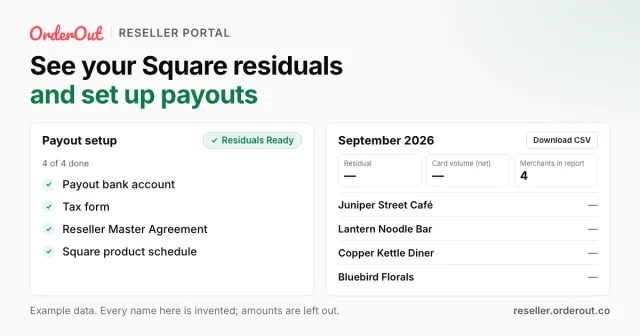
- Agreements & payouts: Square's monthly residual report is now in the portal, merchant by merchant, with a CSV download. Only people who can view revenue see it. See your Square residuals and set up payouts
- Agreements & payouts: Organization-wide admins now get a payout setup checklist, including a W-9 you fill in and sign online. Set up payouts
- Team & agents: Admins can now change whether a teammate sees revenue figures, from Edit member access on the Team page.
- General: Pop-up windows now close with the Esc key or a click outside them, just like Cancel.
- Onboarding: When Google has no postal code for a merchant's address, the form now looks it up, or lets the merchant type it in.
- Onboarding: Your links can now show merchants the pricing of each option. It is on by default, and you can switch it off for any link.
- Onboarding: Square's 4% option is now called “4% Flat Rate” everywhere in the portal. Offer the 4% Flat Rate
- Onboarding
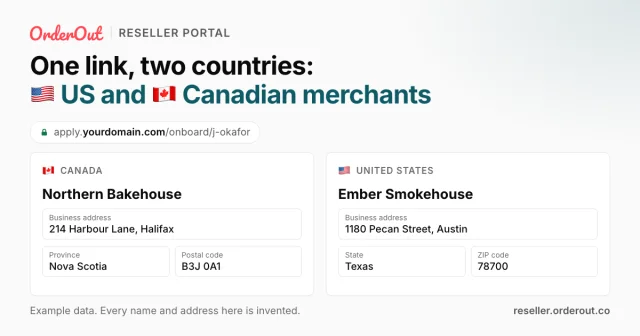
One link, two countries: US and Canadian merchants
Your onboarding links now sign up merchants in Canada as well as the United States. The form follows the merchant's country.
- Team & agents: New agents now join through your organization's request link, and an organization-wide admin approves each request on the Team page. Bring on an agent
- Team & agents: A red count next to Team in the menu shows how many agent requests are waiting for a decision.
- Onboarding: The merchant form is now available in Spanish and French, and merchants get their emails in the language they chose.
- Agreements & payouts: Product terms you have signed now read “Terms you signed” and no longer show a Sign button.
- General: The portal assistant now remembers your earlier questions in the same conversation, and wears your organization's color.
- Team & agents: Your agent request link now appears on the ISO groups page, ready to copy.
- Onboarding: The merchant form now asks for an estimated monthly card volume instead of an annual revenue range.
- Onboarding: The address step now accepts township addresses, and says why it cannot take a Puerto Rico address.
- Agreements & payouts: If an agreement's signing link expires, you can now start signing again from the Agreements page. Sign your Master Agreement
- Merchants: Refresh on a merchant's Square card now saves the latest status, and a label beside it shows how recent it is.
- Onboarding: Merchants now choose their business address from Google's suggestions, which keeps every address complete and correct.
- Help & training: Training pages are easier to read, with one list of quick answers and a transcript you can open when you need it. Square product training
- Help & training: Square trainings now play right in the help center, with captions, once you sign in as a member. Square product training
- General: Your organization's name can no longer include “Square” or “OrderOut”, and its contact email cannot be an OrderOut address.
- Merchants
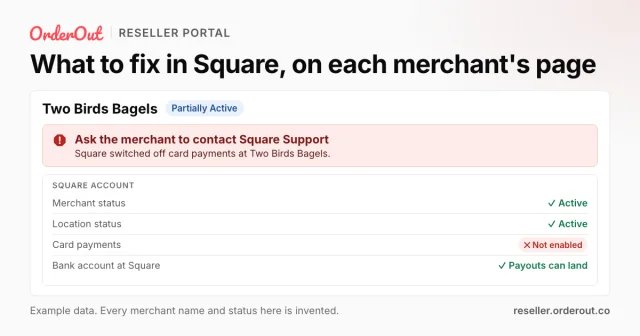
What to fix in Square, on each merchant's page
When a merchant has something to fix in Square, their page now says what to ask them. Square details move to the Overview.
- Merchants
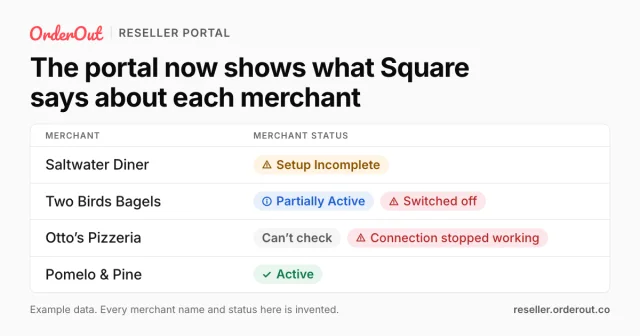
The portal now shows what Square says about each merchant
Your Merchants list now shows Square's reading of each Active merchant. Plus Square training recordings and a Square marketing kit in the Help Center.
- Help & training
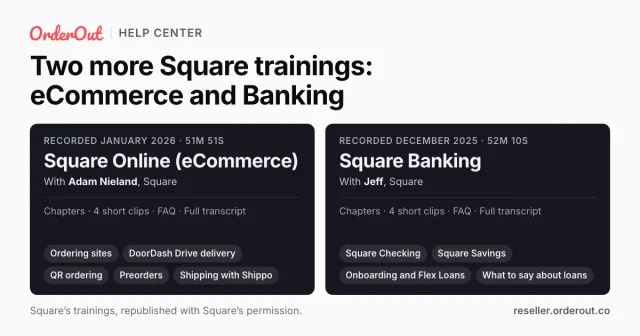
Two more Square trainings: eCommerce and Banking
Read Square's reseller trainings on Square Online (eCommerce) and Square Banking, with chapters, a FAQ and a full transcript.
- Help & training: New guide: what each merchant status means, what the red labels mean, and what to fix. Understand a merchant's status
- Dashboard: Merchant rows on the Dashboard now open that merchant's page.
- Merchants: When Square cannot be checked for a merchant, the status now reads “Can't check”, with the date of the last try. Understand a merchant's status
- Merchants: The Status filter on your merchants list now offers exactly the words shown in the Status column.
- Merchants: A link to one of your merchants now opens under the right organization, even if you were viewing a different one.
- Help & training: The help center now opens on four sections: How to, Training, Marketing and What's new.
- Help & training: Square for Restaurants and Square for Retail trainings are now in the help center. Square for Restaurants
- Merchants: Application status now updates on its own, and the “Under Review” status is gone. Track a merchant application
- Help & training: New Square marketing kit: logos, the reseller badge and ready-to-use copy for ads and email. Square marketing kit
- Help & training: The Square for Franchises training is now in the help center. Square for Franchises
- Help & training: New guide: how to offer the 4% Flat Rate, and what it does and does not do for the merchant. Offer the 4% Flat Rate
- General: A long list of ISOs now scrolls inside the ISO picker instead of running off the screen.
- Help & training: You now get an email when Square schedules a training session, and you can switch these emails off.
- Merchants: OrderOut can now leave notes on a merchant's page that you can read.
- General: The assistant inside the portal now introduces itself with your organization's name.
- Dashboard
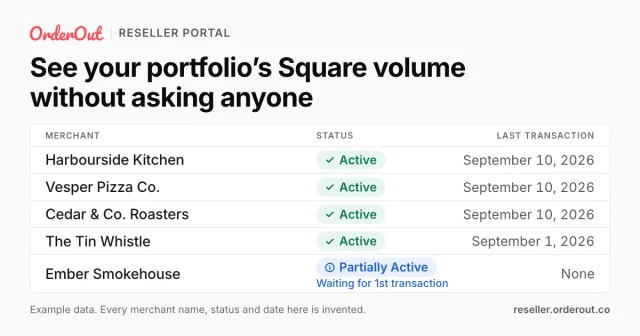
See your portfolio's Square volume without asking anyone
Square volume per merchant on the Reseller Portal Dashboard, at your level of the hierarchy: who has not started processing yet, and who has stopped.
- Dashboard: The Dashboard now names every merchant, even when all of its figures are zero.
- General: Picking an ISO now narrows your links, your ISO tree and your figures to that ISO, and the picker shows the full hierarchy.
- Help & training: Two new guides: see your merchants' volume, and why the volume differs from one level of your organization to another. See your merchants' volume
- Help & training: Upcoming Square training sessions now appear in the portal.
- Agreements & payouts: You can now sign product terms right after your Master Agreement, without waiting for OrderOut to countersign it. Sign your Master Agreement
- Agreements & payouts: Signing an agreement no longer shows an error message after it actually went through.
- General
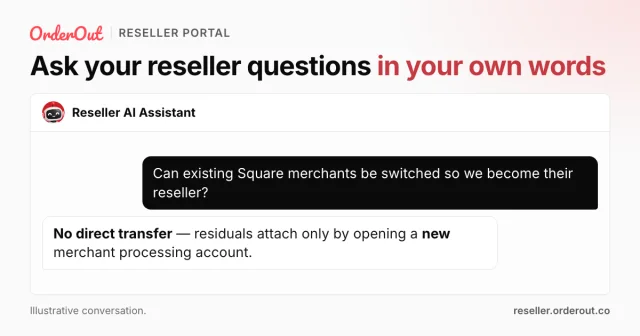
Ask your reseller questions in your own words
Ask the OrderOut reseller AI Assistant program and product questions in your own words, in the Reseller Portal or on the public request-access page.
- General: Signing in now takes you to “What's next”, the page that lists your next steps.
- General: Every table in the portal now moves between pages the same way.
- General: A new “What's next” page lists the steps to get your organization selling, so the Dashboard can stay about your merchants.
- General: Portal pages now fit phone and tablet screens without scrolling sideways.
- Merchants
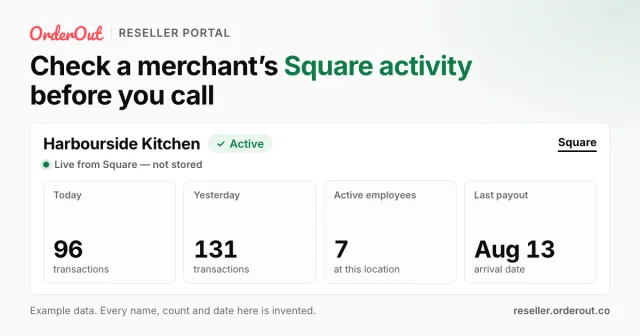
Check a merchant's Square activity before you call
See a merchant's latest Square payout, daily processing volume and transaction counts from their record in the Reseller Portal.
- Onboarding
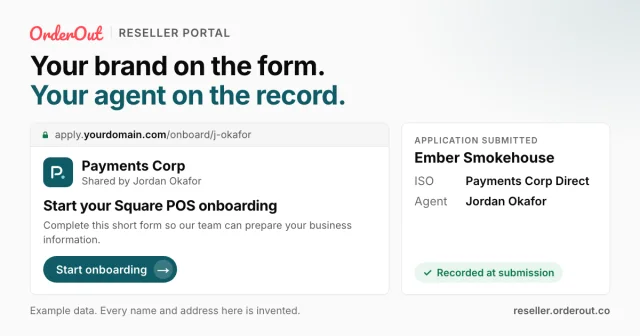
Your brand on the form. Your agent on the record.
Branded merchant onboarding links with your contact details, a configured custom domain and agent attribution preserved when an application is submitted.
New to OrderOut? Request access — or read what the reseller program involves.
Looking for step-by-step instructions instead? The help center has written guides for common tasks in the portal, some with video.