
Track a merchant application in the OrderOut Reseller Portal
Your merchants list shows every application's status in the OrderOut Reseller Portal.
Steps
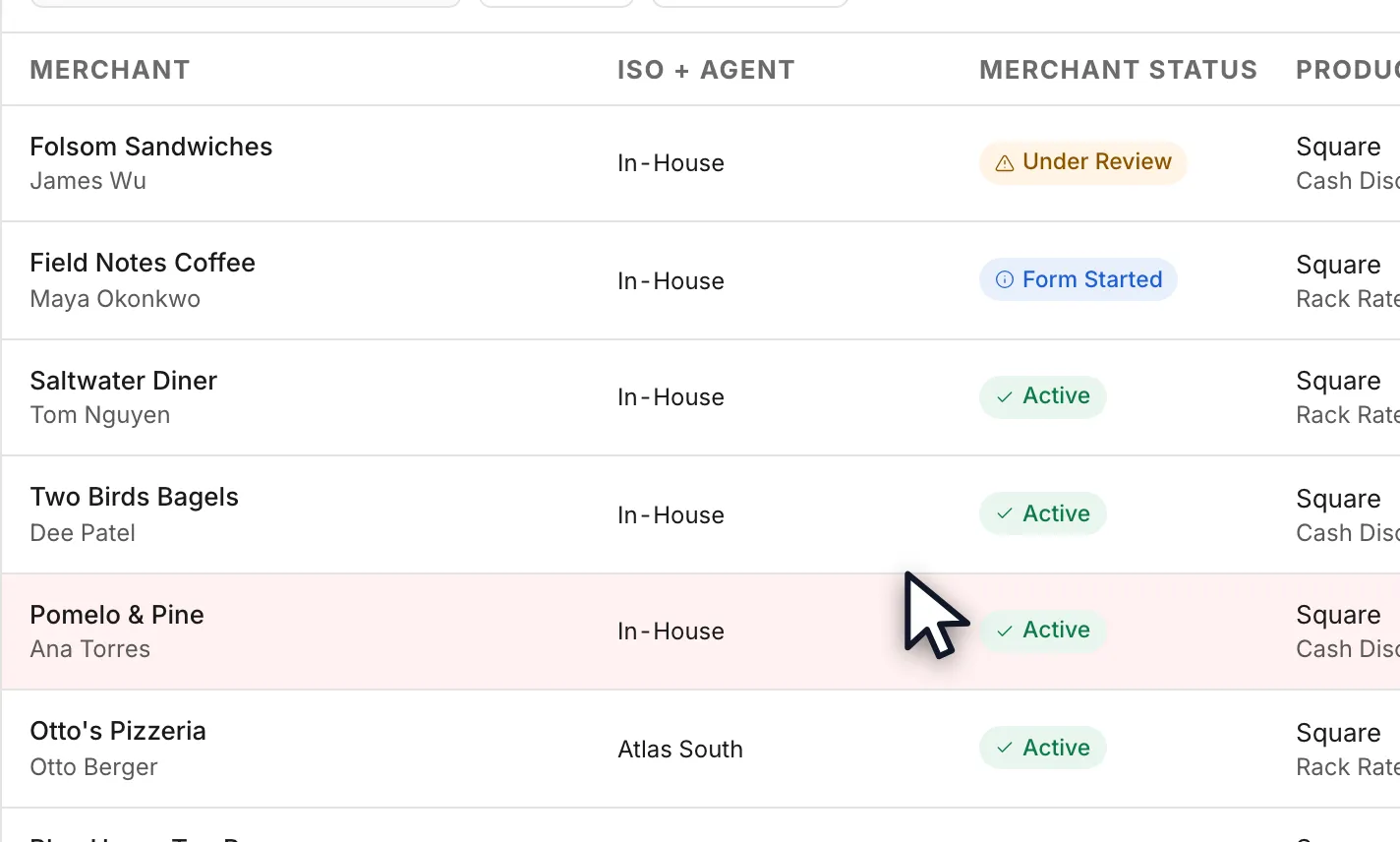
- Open Merchants. Every application anyone in your organization has submitted is listed here, with the ISO and agent it is attributed to, the products and pricing it came in on, and its status. Every role can see this page.Open full size ↗
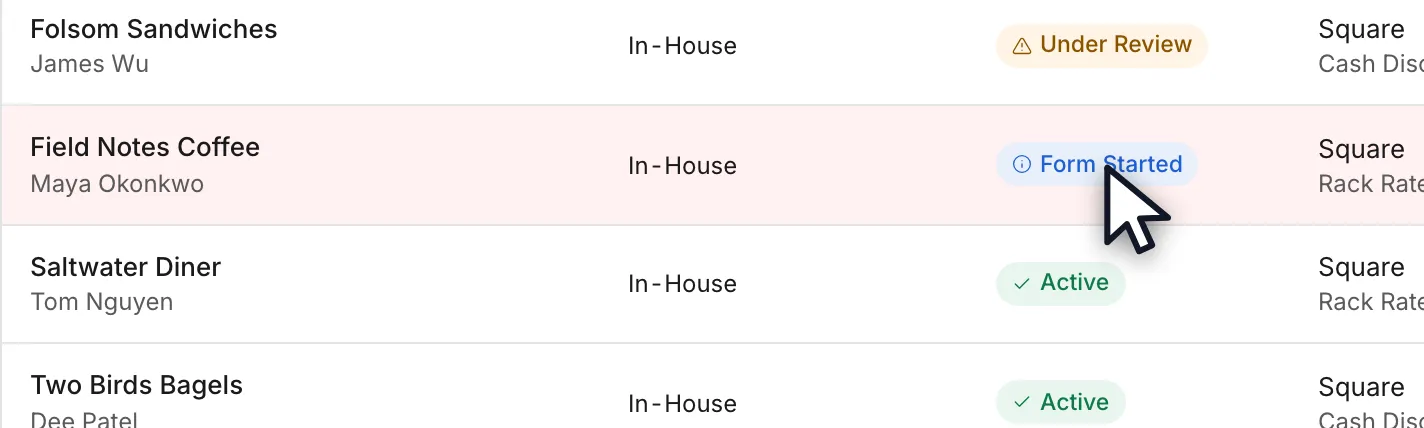
- Form Started means the merchant opened your onboarding link and began filling it in, but has not submitted it. Nothing has reached OrderOut or Square yet, so if it sits there, the next move is yours: check the merchant actually finished the form.Open full size ↗
- Submitted means the application has been sent in and Square is setting up the account. Nobody has to move it along: it turns Active on its own, usually within about an hour of Square's Merchant ID for that merchant reaching OrderOut. Square's own email to the merchant is the outside signal that it has completed — it normally arrives within about a day.
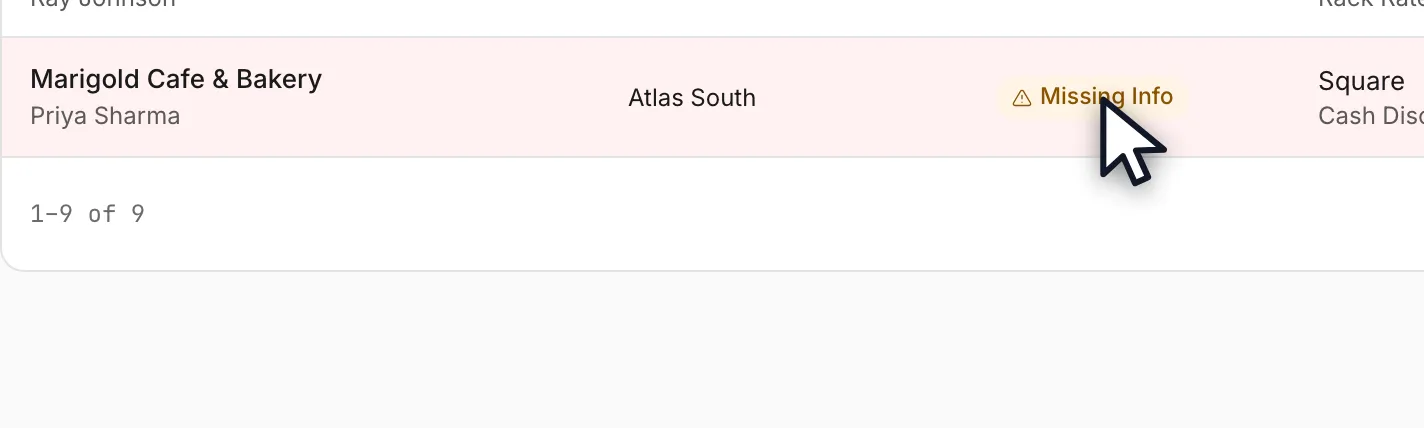
- Missing Info means something on the application needs correcting before it can go further — usually a detail only the merchant can supply. It is a hold a person places, and it stays there until someone returns it to automatic status or closes the application, even if Square finishes setting up the account in the meantime. Paused is the same kind of hold, usually placed on a merchant who was already Active.Open full size ↗
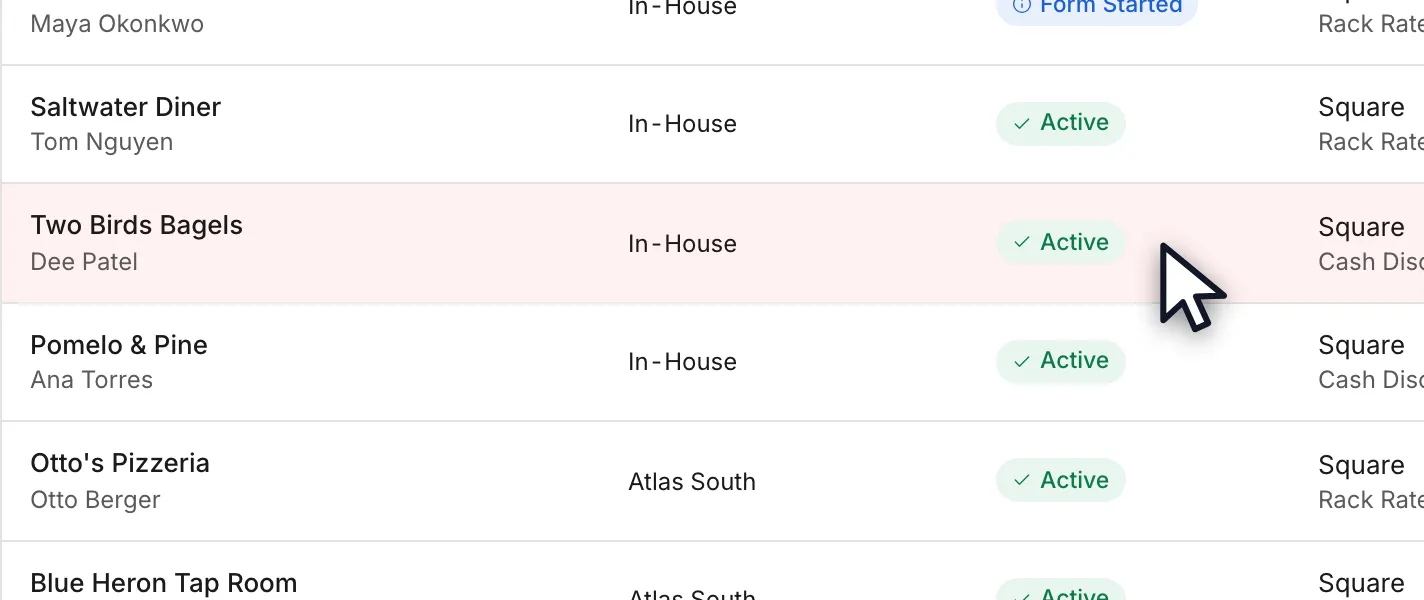
- Active means Square has the merchant's account: a merchant turns Active automatically once Square's Merchant ID is on their record, and nobody can pick Active by hand any more. Once OrderOut has read that account from Square, the status column shows Square's own reading in its place: Active when everything the merchant's Square product needs is switched on, Partially Active when some of it is, Setup Incomplete when none of it is yet, and Can't check when we could not read the account or hold no Merchant ID to read it with. When there is something to check, a short reason appears beside the word. The Understand a merchant's status guide explains each word and reason, and the box at the top of a merchant's page. The word is still not the proof on its own: what confirms Square has the account is the Square Merchant ID on the merchant's own record.Open full size ↗
- Open the merchant to see it. A merchant Square has genuinely activated lists a Square Merchant ID, a Square Location ID and the activation date in the External IDs card on the Overview. That Square Merchant ID is the green light.Open full size ↗
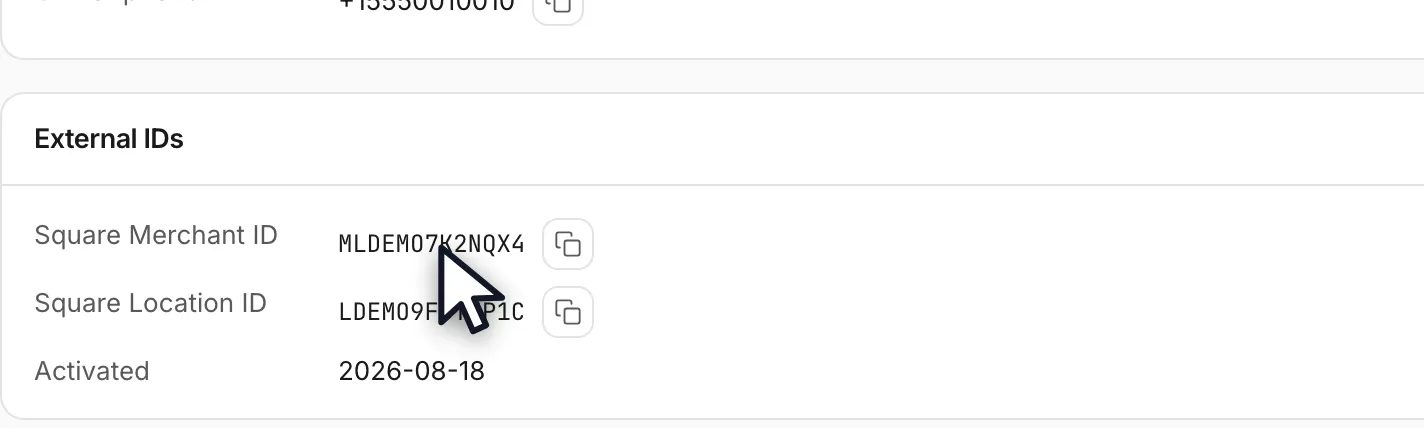
- A merchant with no Square Merchant ID on the Overview has not been activated by Square, whatever the badge says. The row is absent entirely rather than showing an empty field, so its absence is the signal. Nothing is missing from your application: Square simply has not finished.Open full size ↗
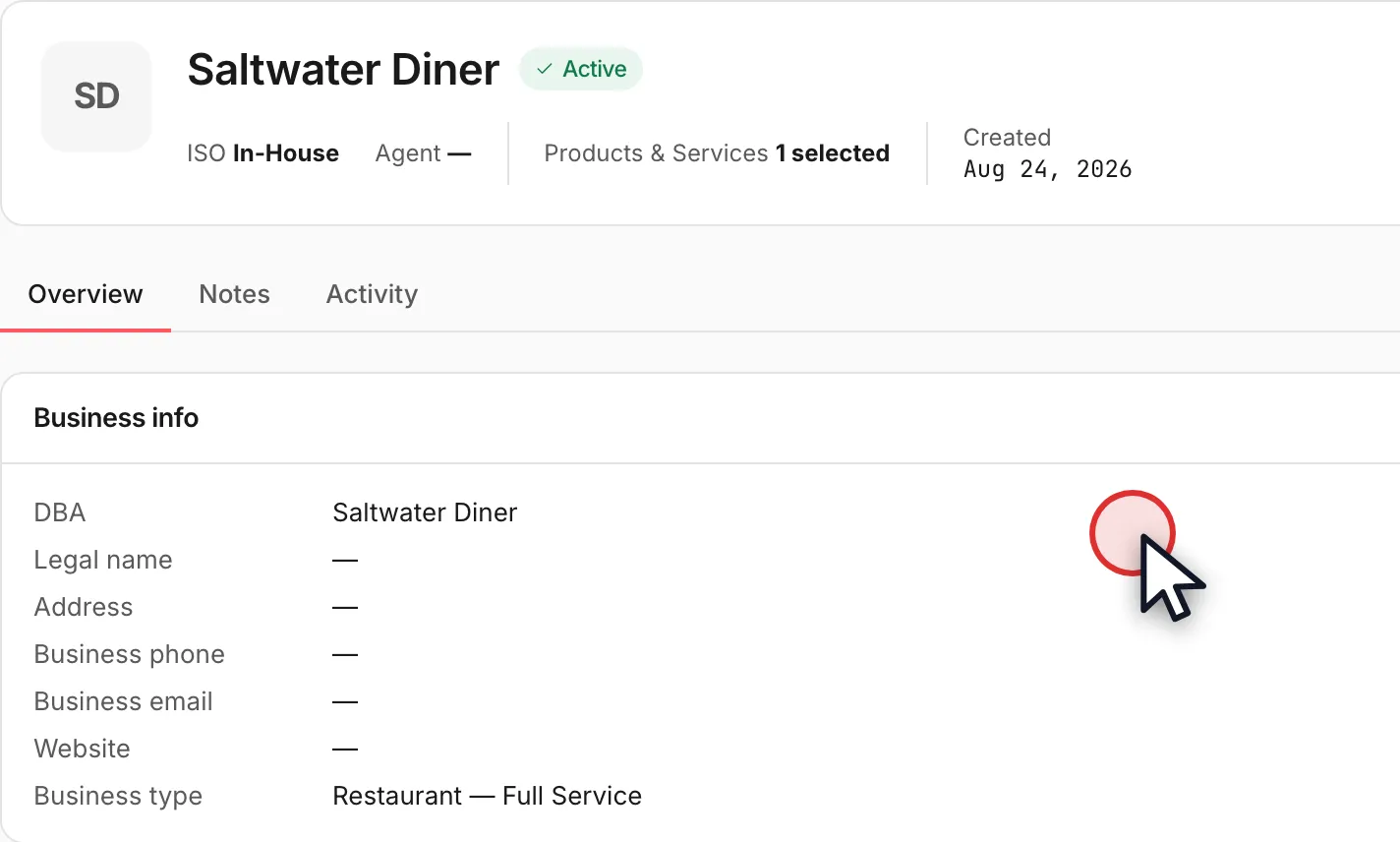
- Use the Merchant ID as your green light before you ship anything. If you buy hardware and resell it to your merchants, this is the check that matters: an older record can read Active on an account Square has never approved, and shipping against the badge rather than the ID is how equipment goes out to a merchant who cannot take a payment yet.
- If a merchant has shown no Merchant ID for more than a few business days, send the OrderOut reseller team the name and ask them to check that merchant's real status. Do not wait for it to fill in on its own — a Merchant ID that has not appeared by then usually means activation never completed, not that it is still on its way.
Worth knowing
- The video was recorded in August 2026, before statuses became automatic, and two of its lines are out of date. There is no Under Review status any more: a submitted application reads Submitted until it turns Active. And nobody picks Submitted or Active by hand now — people set only the holds and closures described on this page. The steps above describe the portal as it works today.
- The Merchant ID, not the status badge, is the thing to trust. A merchant becomes Active automatically when Square's Merchant ID reaches their record, and Active can no longer be set by hand. Some older records were set Active by hand before that, so Active on its own can still describe an account Square has never approved — while Active with a Merchant ID cannot.
- Statuses update on their own. Submitted and Active are set automatically from whether Square has the merchant's account. The only statuses a person sets are the holds Missing Info and Paused and the closures Rejected and Cancelled. On your team, an admin or editor can put a submitted application on Missing Info, reject an application that is Submitted or on Missing Info, pause an Active merchant, and return a merchant on Missing Info or Paused to automatic status (a Paused merchant with no Square Merchant ID needs OrderOut to resume it). Cancelled is set only by OrderOut. The reliable outside signal is still Square's own email to the merchant: once they have received it, typically within about a day, the account is active and attributed to you.
- The absence of a Square Merchant ID on the Overview is the signal, not an error. The Square Merchant ID row only renders once there is an ID to put in it, so a merchant who has not been activated shows no such row rather than a blank one. The External IDs card itself can still appear when the merchant has another ID, such as an OrderOut one.
- This matters most if you ship equipment. A reseller may buy Square hardware and resell, finance or lease it on their own margin — and a merchant who is not really activated cannot take a payment on it. Check the Merchant ID first.
- Everyone in your organization can see this page, including VIEWER accounts. What changes by role is what you can do elsewhere, not what you can see here.
- The products and pricing shown against a merchant are the ones frozen onto their application when they submitted it. Editing the onboarding link afterwards changes what the next merchant is offered, never what an existing one already applied under.
In the video
- 0:00Where your applications live
- 0:09What the statuses mean
- 0:31Active is not the proof
- 0:58What to do about it
Questions resellers ask about this
My merchant shows Active in the portal — does that mean approved, or is more information being requested?
Usually yes. Statuses are automatic: a merchant turns Active once Square's Merchant ID is on their record, and nobody can pick Active manually any more. What confirms it is still the status together with the Square Merchant ID, because some older records were made Active manually before statuses became automatic.
- Active with a Square Merchant ID — Square approved the application, and nothing further is needed on it. If more information were needed, the status would read Missing Info. If Square still needs a setup step from the merchant, such as a bank account, a box at the top of the merchant's page says what to ask them.
- Active with no Square Merchant ID — an older record whose status was changed manually, and Square has not completed activation. The Overview lists no Square Merchant ID. Square's own email to the merchant, normally within about a day, is the outside confirmation to look for.
If a merchant has been Active with no Merchant ID for more than a few business days, ask the OrderOut reseller team to check that merchant's real status rather than waiting for it to fill in.
Source: OrderOut (official)
How do I know it is safe to ship equipment to a merchant — how can I tell they are really approved?
Use the Square Merchant ID as your green light, not the status.
- Written automatically — the Merchant ID and location ID land on the record the moment Square approves the application, so their presence is a machine-written fact.
- When they are absent — the Overview lists no Square Merchant ID, and Square has not completed activation.
- Status alone is not safe to ship against — statuses are automatic now, but some older records were made Active manually before that, so a record can still read Active on an account Square has not approved.
If a merchant shows no Merchant ID for more than a few business days, send the OrderOut reseller team the name and we will check.
Source: OrderOut (official)
Why is the Square Merchant ID missing / 'Waiting for Square ID' on some approved merchants?
A merchant's Square Merchant ID appears in the portal once Square activates the account — it links automatically at activation, not at submission. Until then the merchant's page shows it two ways, and neither means data is missing from your application:
- the status reads Submitted while Square reviews the application
- the Overview lists no Square Merchant ID
Activation is typically fast — the merchant usually receives their Square email within about a day — so if a merchant has shown no Square ID for more than a few business days, ask the reseller team to check that merchant's status rather than assuming it will fill in on its own.
The Merchant ID, not the status badge, is the signal to trust. Statuses are automatic — a merchant turns Active once the Merchant ID is on file — so a merchant reading Active with no Merchant ID is an older record whose status was changed manually before that rule existed.
Source: OrderOut (official)
My merchant shows 'Under Review' in the portal but is actually approved — which status is right?
Merchant statuses now update automatically, and 'Under Review' has been retired. An application reads Submitted until Square's Merchant ID for that merchant reaches OrderOut, and then turns Active on its own — nobody has to move it along by hand. The reliable outside signal is still Square's email to the merchant: once the merchant receives it (typically within 24 hours), the account is active and the merchant is attributed to you for residual payments. If a status looks stuck beyond a few business days, contact the OrderOut team and we will confirm the merchant's real status.
Source: OrderOut (official)
Full transcript1:12
0:00Where your applications live
Your merchants list shows every application's status in the OrderOut Reseller Portal.
You'll need any portal role, and we're starting on the Merchants page.
0:09What the statuses mean
Form Started means your merchant opened your link but has not submitted it yet.
Under Review means they submitted it, and the application is being worked through.
Missing Info means something on it needs correcting before it can go any further.
Active means the account is open. This is the one worth reading carefully.
0:31Active is not the proof
On its own, Active does not mean Square approved them. A status can also be set by hand.
Square writes the Merchant ID and the Active status together, automatically, at activation.
Open the merchant. This one carries a Square Merchant ID, a location ID and an activation date.
That one is genuinely approved. This one reads Active with no External IDs card at all.
0:58What to do about it
So use the Merchant ID as your green light, especially before you ship any equipment.
If a merchant shows no Merchant ID after a few business days, ask the OrderOut reseller team to check.
Answers on this page come from the OrderOut reseller answer ledger (2026-10-09.1). Still stuck? Email reseller@orderout.co.·All guides