
Onboarding
Branded merchant onboarding links with agent attribution
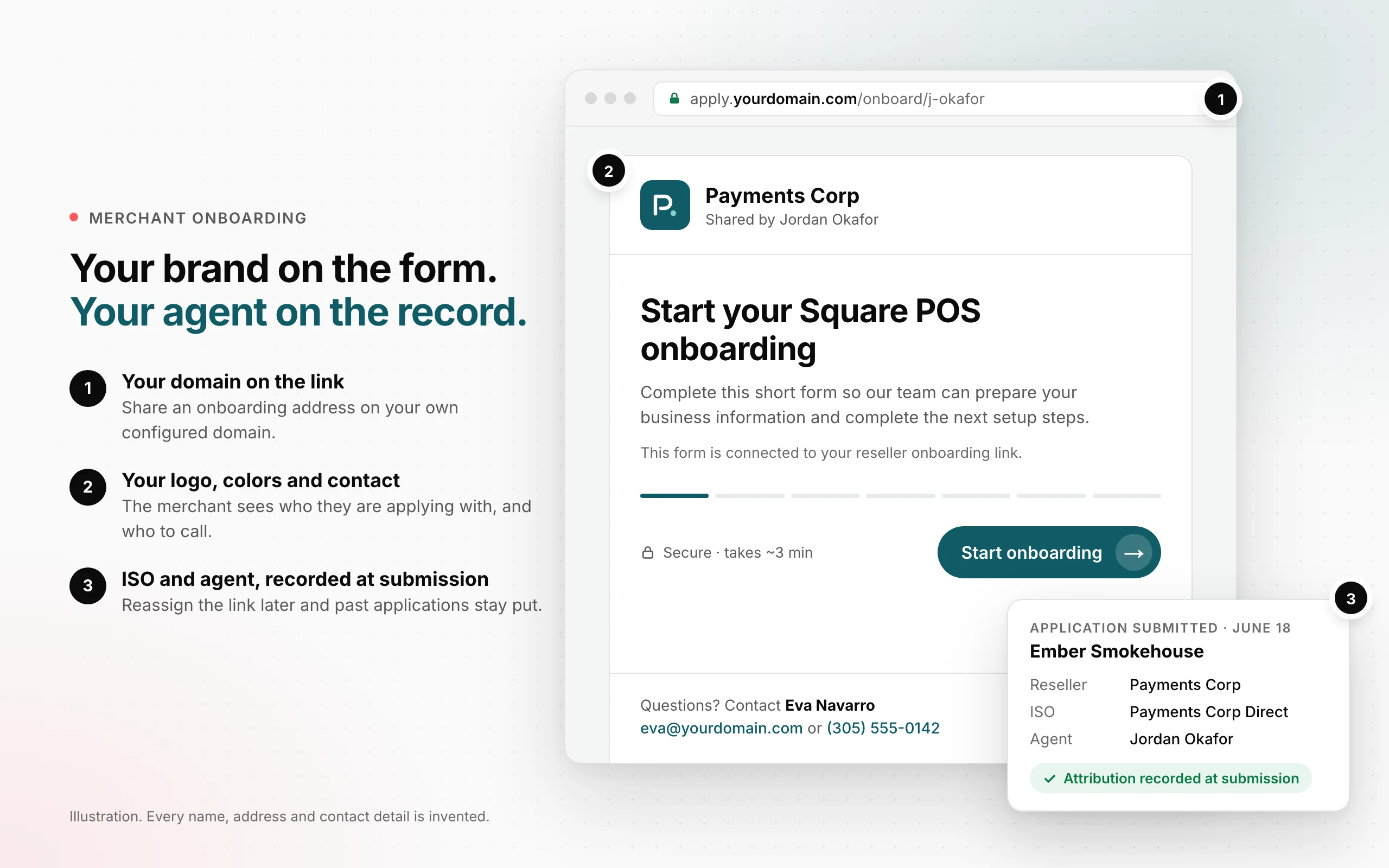
Send merchants an onboarding link with your branding and contact details, tied to the ISO or agent bringing them in — with the application keeping that attribution even if the link is reassigned later.
- A form that looks like it came from you. Your configured name, logo and colors carry through to the merchant's application. Contact details on the form give the merchant a person to reach when they have a question.
- Your domain on the link. Use a configured custom domain for the onboarding address you share. The merchant sees your address as well as your branding when they open the form.
- The right ISO and agent attached. Each link is assigned to an ISO and, when applicable, an agent. A submitted application carries that attribution without asking the merchant to remember who referred them.
- Reassign a link without rewriting earlier applications. An application's agent is recorded when the merchant submits. Changing the agent on the link affects future submissions; it does not move the applications already brought in through that link.
 Open full size
Where to find itAvailable on merchant onboarding links configured for your reseller, ISO or agent. At this release, OrderOut manages link setup and assignment; merchants open the shared link to complete their application.
What this does not do yet
- A custom domain needs DNS setup and an active certificate before it can be used. Adding a logo does not configure the domain for you.
- Submitting the form records an application. It does not approve the merchant or mean they are ready to process payments.
- Attribution records who brought in the application. It does not calculate a residual, commission or payout.
All releases·All help guides·reseller@orderout.co
New to OrderOut? Request access — or read what the reseller program involves.