
Set up payouts in the OrderOut Reseller Portal
Finish the Payout setup checklist on your Residuals page to get paid.
Steps
- Open the Residuals page. The Payout setup checklist shows how many steps are done, and each row that still needs you has its own button.Open full size ↗
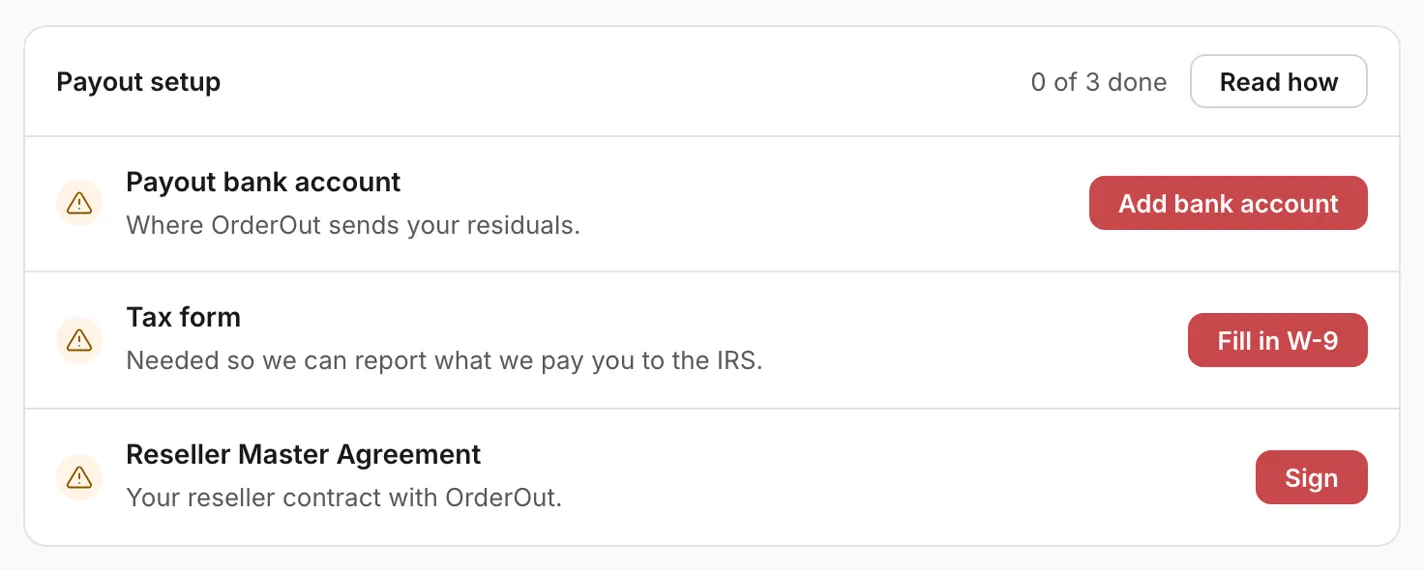
- Payout bank account: choose Add bank account and enter the account holder name, bank name, account type, routing number and account number. The portal takes a US bank account; if yours is in another country, email the OrderOut reseller team.Open full size ↗

- Tax form: choose Fill in W-9. Pick the country where your business is registered for tax, fill in your details, review them and sign online. Your W-9 is complete as soon as you sign.Open full size ↗

- Agreements: choose Sign on the Reseller Master Agreement row. On the Agreements page, choose Sign Master Agreement, then Sign product terms, in the same sitting. OrderOut then countersigns them, and the rows show as signed.Open full size ↗

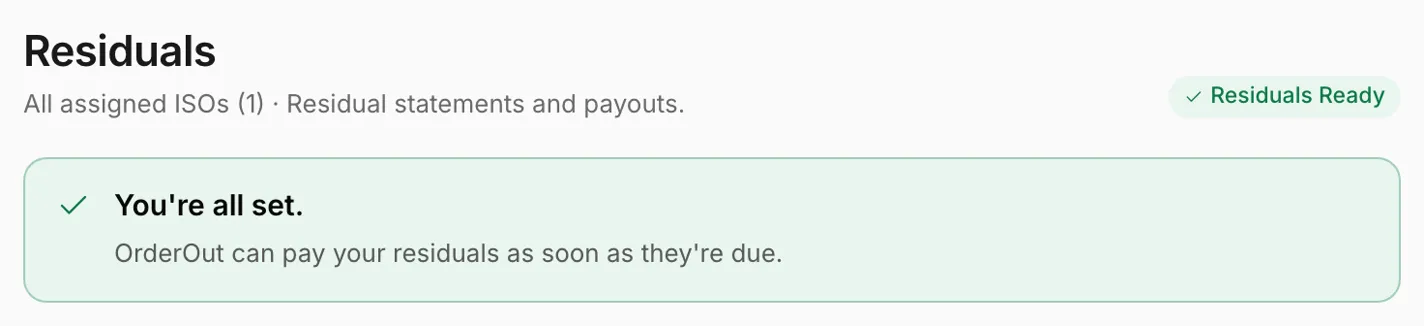
- When every row is done and OrderOut has countersigned your agreements, the status at the top of the Residuals page reads Residuals Ready, and OrderOut can pay your residuals as soon as they're due.Open full size ↗
Worth knowing
- Changing your legal name, taxpayer ID or classification means signing a new W-9. Until you sign it you show as Not ready for payouts, and payouts wait. Changing only your address keeps your current W-9.
- A business registered for tax outside the US uses a W-8 instead of the W-9: choose that country on the tax form, then email the OrderOut reseller team and they will send it. Your other payout steps stay as they are.
- If you see a Residual review row, there's nothing for you to do. OrderOut is matching your residuals to their products and will contact you if anything is needed.
- Other members who can see residuals see the payout status, Residuals Ready or Not ready for payouts, but not the checklist. Members who cannot see merchant revenue and residuals cannot open the Residuals page; ask an organization-wide admin if you need to.
Questions resellers ask about this
How are reseller payouts handled?
You are paid monthly, around the 25th of each month, for the previous month's processing: a merchant's October volume is paid around November 25th. Square pays OrderOut the residuals around the 22nd, and OrderOut then passes 100% of what Square paid through to you. To get paid, finish the Payout setup checklist on the Residuals page of the OrderOut Reseller Portal: your payout bank account, a signed tax form, and your signed agreements (the Reseller Master Agreement and the product schedule for each product your residuals come from). The tax form is a W-9, filled in and signed electronically in the portal; a business registered for tax outside the US uses a W-8 instead, so email reseller@orderout.co and we'll send it. An organization admin finishes these steps. Your right to the residual is contractual and keeps paying on the merchants you boarded for as long as they keep processing and Square keeps paying OrderOut, including after you move on.
Source: OrderOut (official)
I am a reseller outside the U.S. Can my residuals be paid to a bank account in my country?
The portal's payout setup takes a US bank account. If your bank is in another country, email the OrderOut reseller team: international payouts are arranged case by case. A business registered for tax outside the US also uses a W-8 instead of the W-9: email reseller@orderout.co and we'll send it.
Source: OrderOut (official)
When I bring a rep in under me, who handles their tax forms and their agreement?
Both sit with you, not with OrderOut.
- Tax paperwork — ours is your own tax form (a W-9, or a W-8 if your business is registered for tax outside the US) and your bank account, both part of Payout setup in the portal. OrderOut pays you one residual payment and you distribute it, so any onward payment to your rep is between you and them — and the tax reporting on it is yours.
- The agreement — OrderOut supplies no referral or sub-agent agreement template, so have your own lawyer draft one. It is between you and your rep and needs no sign-off from us.
Source: OrderOut (official)
Answers from OrderOut Reseller Answer Ledger (2026-10-19.1).
Still stuck? Email reseller@orderout.co.All guides