
Sign your Master Agreement in the OrderOut Reseller Portal
You read and sign your Master Agreement in the OrderOut Reseller Portal.
Steps
- Open Agreements in the portal. Both documents live on this one page — neither is emailed to you for signature, and you never send a signed copy back. If you cannot see this page at all, your account is not an organization-wide admin.Open full size ↗
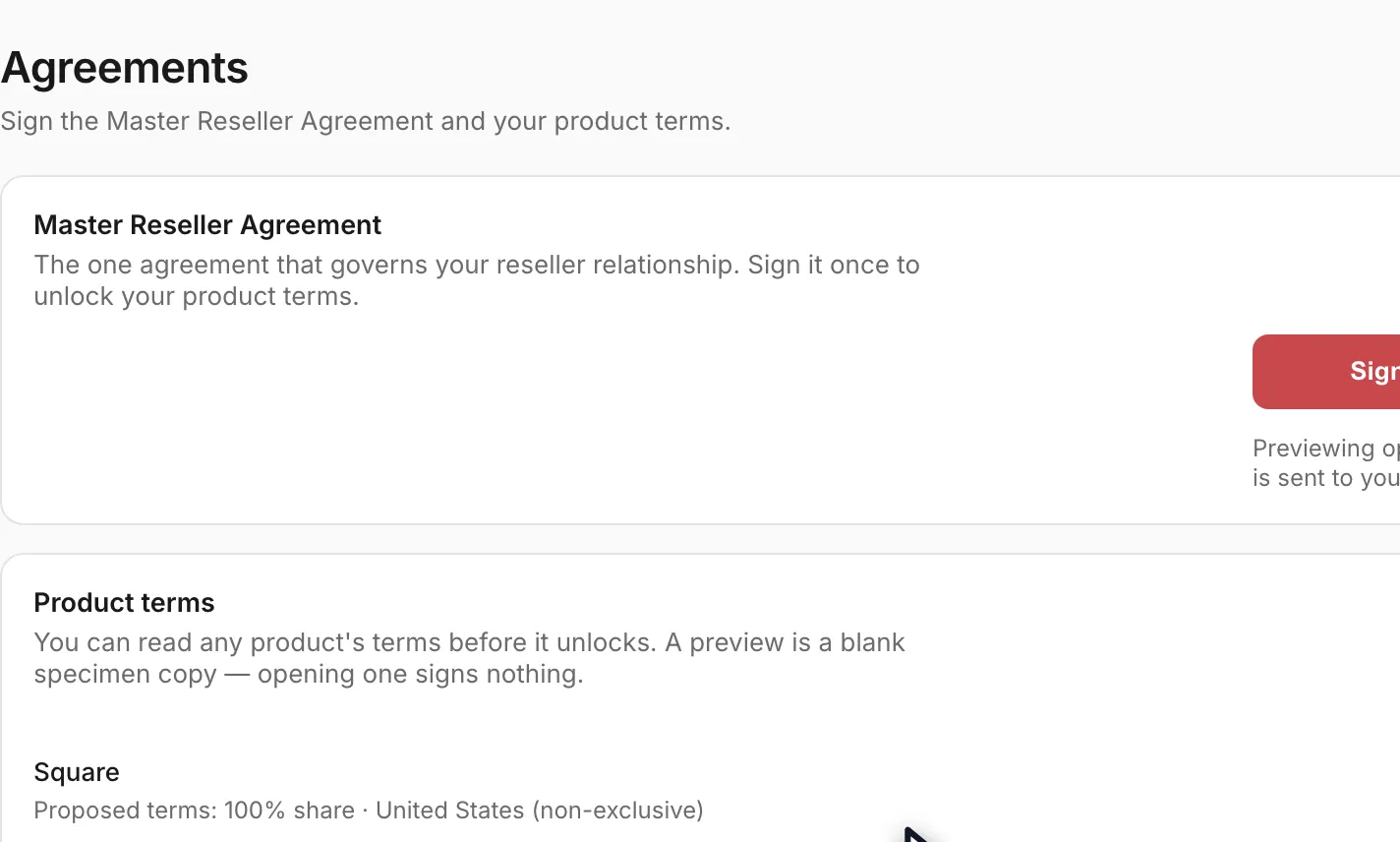
- Read the terms before you sign anything. Each product row has a Preview link on the right, so you can open the Square Product Schedule and give it to your legal team while the Master Agreement is still unsigned. Preview opens in a new tab and signs nothing.Open full size ↗
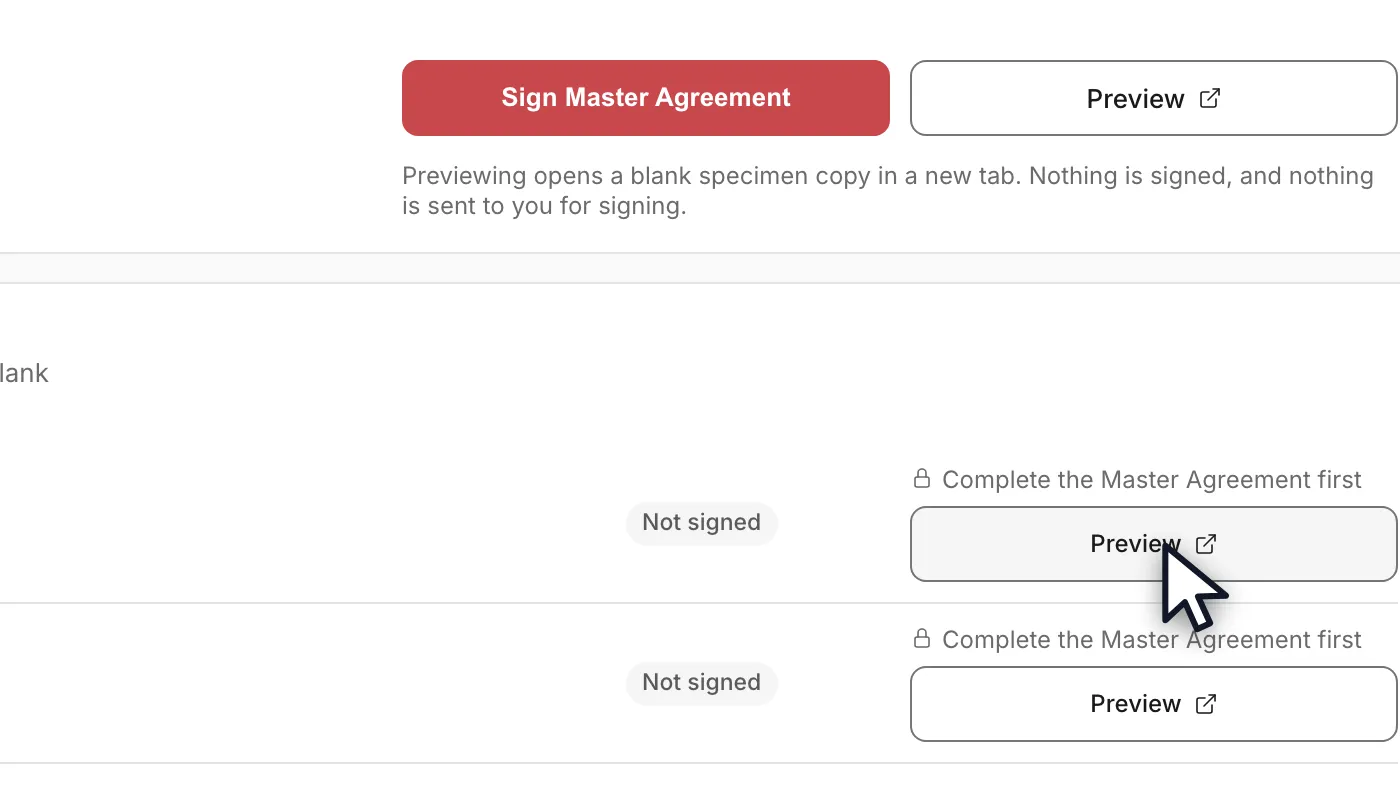
- Expect the preview to be blank where your numbers go. It is a specimen copy of the document, not your copy of it, so the Reseller Share Percentage and the other custom values are empty. That is the document doing the right thing, not a fault in your account — the completed values appear when you open the real thing to sign, and you review them before you sign.
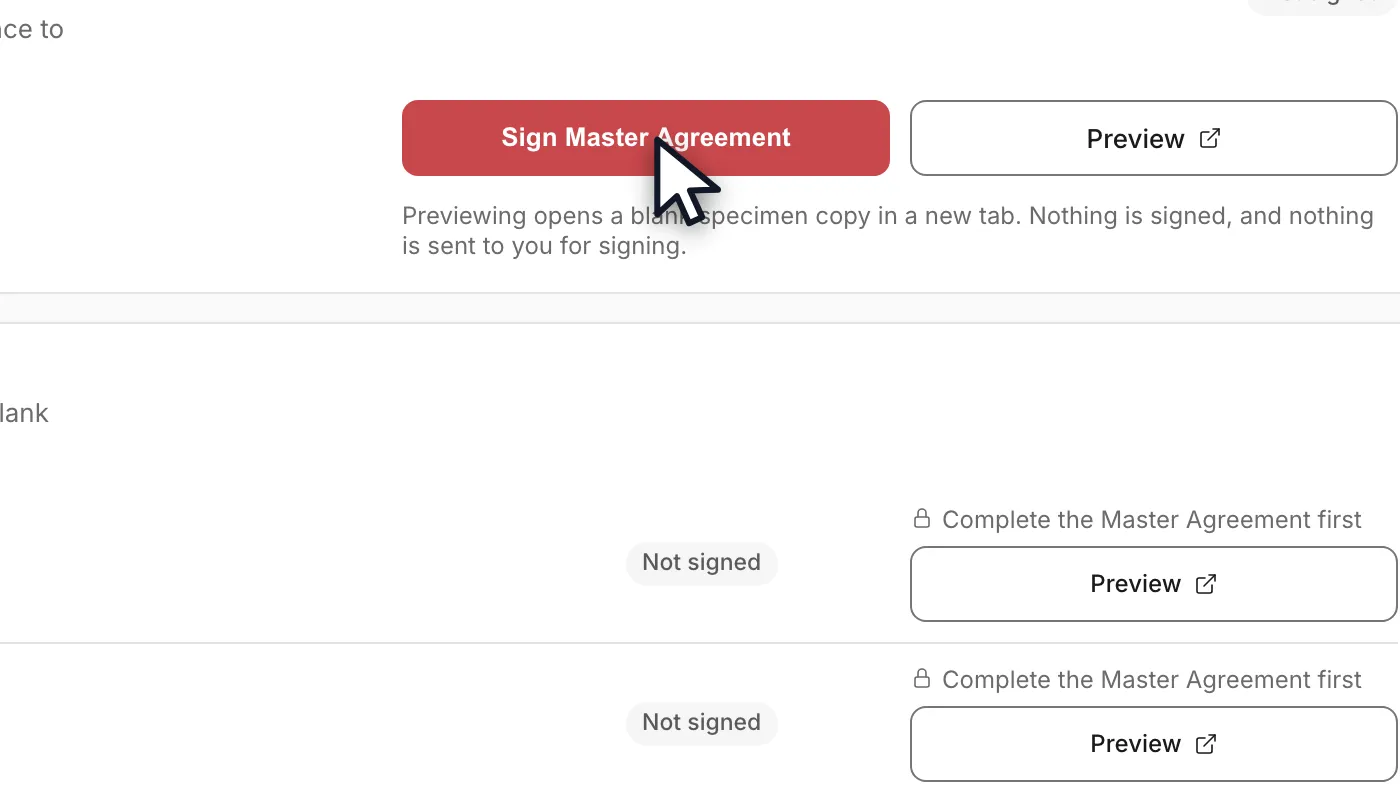
- Sign the Master Reseller Agreement first. It is the one agreement that governs the relationship, and every product's terms stay locked behind it — that is what Complete the Master Agreement first means on the rows below. The document opens with your values filled in, and you review it before you sign.Open full size ↗
- OrderOut countersigns after you. The Master shows as Signed once both signatures are on it, and at that point every product row unlocks and offers its own Sign product terms button.Open full size ↗
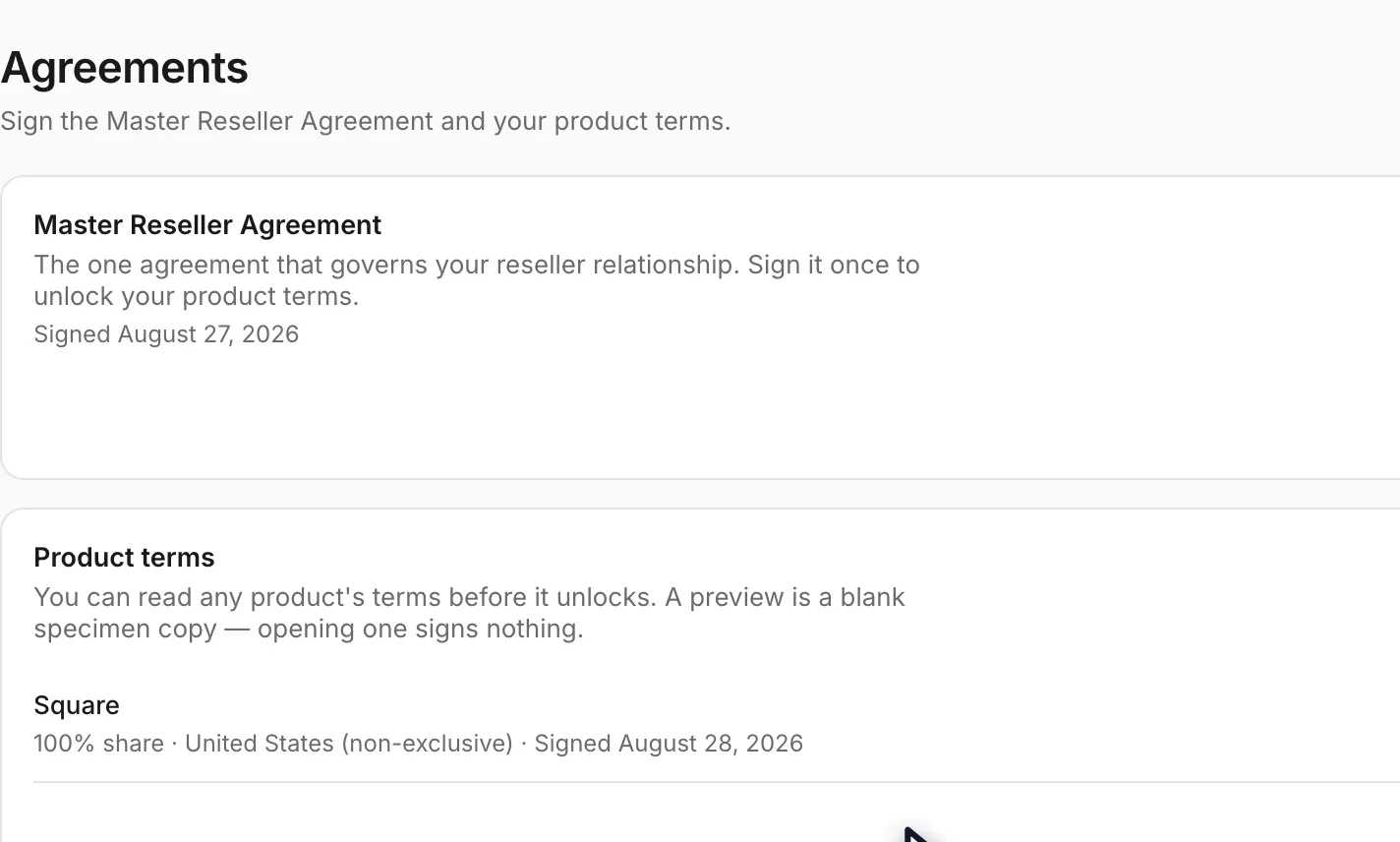
- Sign each product's terms the same way. A signed row replaces its proposed terms with the real ones — your share, your territory and the date you signed — and gives you a Download button for the executed copy, available from the portal any time afterwards.Open full size ↗
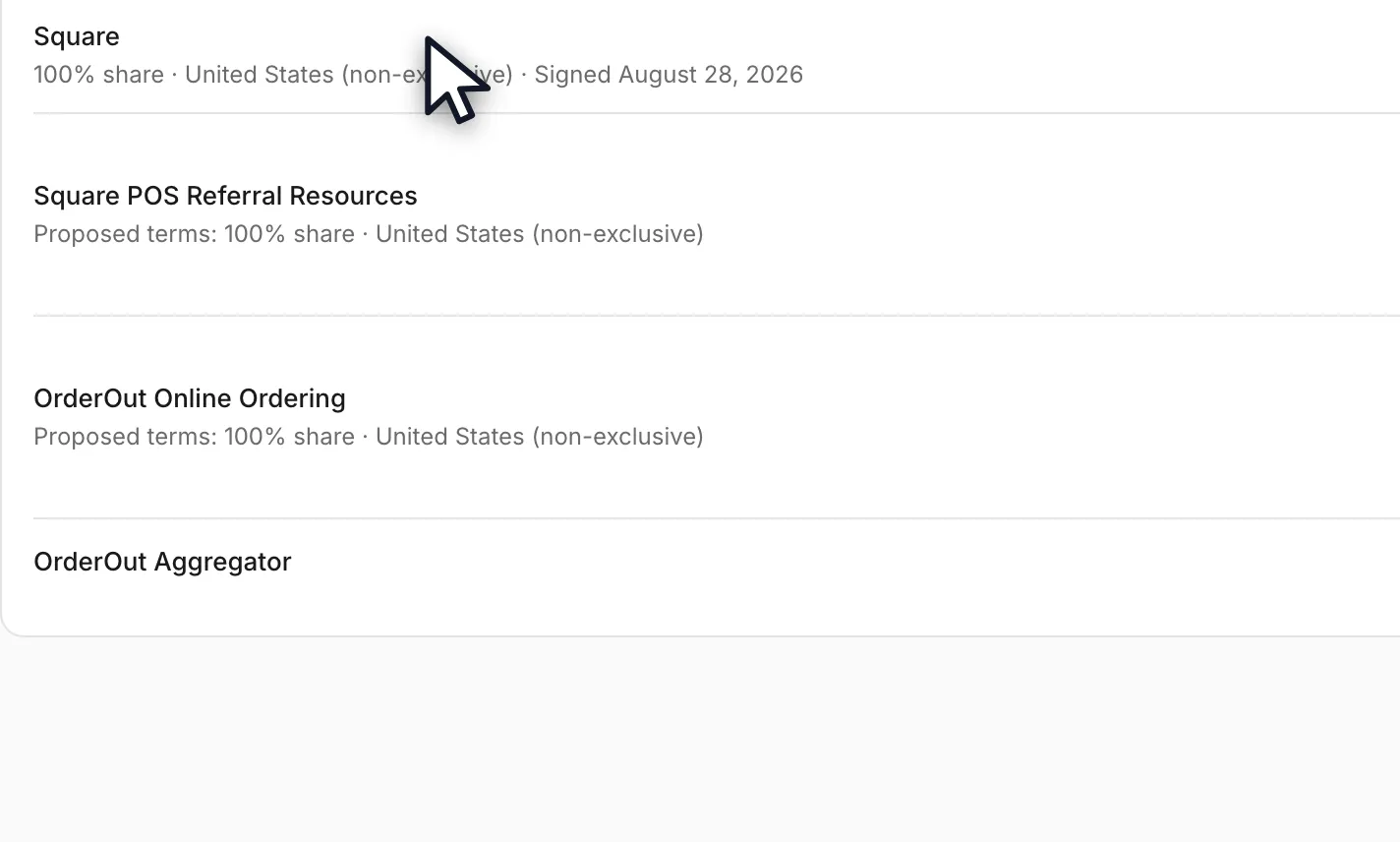
- If someone else in your company is the signer, add them on the Team page as an Admin across the whole organization — not scoped to a single ISO. An ISO-scoped admin lands on a read-only version of this page and cannot execute anything, which is a support email the next day rather than a signature.
Worth knowing
- Preview and Sign are different actions, and only one of them commits you. Preview opens a blank specimen copy in a new tab; it is there so you, or your legal team, can read the whole document before anyone signs. Nothing about opening it is recorded as agreement.
- The Reseller Share Percentage being blank in a preview is expected and is the single most common question about this page. A specimen copy carries no customer-specific values by design. Your actual share is filled in on the document you open from the Sign button, and it is also printed on the product's row once the terms are executed.
- The order is enforced, not advisory. Until the Master Reseller Agreement is executed, every product row shows Complete the Master Agreement first and its Sign button is unavailable. The Preview link stays available throughout, which is what lets you read ahead.
- Only an organization-wide admin can sign. Admin scoped to one ISO is not enough — that account can view the Agreements page but not execute anything. If your signer is a business partner or an owner who is not yet in the portal, invite them from the Team page with the Admin role across the whole organization before they try.
- Both signed documents stay downloadable from this page. There is no need to keep your own copy of the executed PDF, and no need to ask anyone to send you one.
- A product with no agreement to sign is normal. Some products in your catalog have no Product Schedule of their own, and their row says so rather than offering a button.
In the video
- 0:00Read it before you sign
- 0:16Preview costs you nothing
- 0:35Sign the Master Agreement
- 0:50Then your product terms
- 1:04What you end up with
Questions resellers ask about this
Can I see the Square Product Schedule and agreement terms before signing the Master Agreement?
Yes. You sign the Master Reseller Agreement first, but you can review the Square Product Schedule beforehand: on the Agreements page of your Reseller Portal, use the "Preview" link on the right side of the Square row. Your legal team can review it there before you execute anything. Agreements are e-signed inside the portal only — we do not email copies for signature — and once complete you can download the final signed version directly from the portal.
Source: OrderOut (official)
The Reseller Share Percentage field is blank in the agreement preview — will it be filled in when I sign?
The preview does not auto-populate custom values such as the Reseller Share Percentage — that is expected. When you click the Sign button, you will see the completed agreement with all values filled in, and you review it before you actually sign. Your portal's Agreements page also shows your share on the Square row.
Source: OrderOut (official)
How do we get the Master Agreement and Square Product Schedule, and who is allowed to sign them?
Nothing is emailed out — the Master Agreement and the Square Product Schedule are both executed in the portal, on the Agreements page.
- Only an organization-wide admin can sign — an ISO-scoped admin can view them but not execute.
- If the signer is not you — add them on the Team page with the Admin role across the whole organization, not scoped to a single ISO; both documents are waiting there when they sign in.
With both signed, you can create onboarding links and start submitting merchants.
Source: OrderOut (official)
Full transcript1:18
0:00Read it before you sign
You read and sign your Master Agreement in the OrderOut Reseller Portal.
You'll need organization-wide admin access, and we're starting on the Agreements page.
Both documents are signed here. Nothing is emailed to you, and nothing is emailed back.
0:16Preview costs you nothing
Before you sign anything, you can read the Square product terms. Click Preview on that row.
A preview is a blank specimen copy. It opens in a new tab, and nothing is signed.
So the share percentage is empty in a preview. That is expected. It is not a fault.
0:35Sign the Master Agreement
The Master Agreement comes first. It governs the relationship, and it unlocks every product's terms.
Click Sign Master Agreement. The document opens with your values filled in, and you review it before signing.
0:50Then your product terms
Until the Master is done, each product row reads: complete the Master Agreement first.
Once the Master is executed, those rows unlock, and you sign each product's terms the same way.
1:04What you end up with
A signed row shows your real share and the date you signed it.
Only an organization-wide admin can sign. An admin scoped to one ISO can read these pages, not execute them.
Answers on this page come from the OrderOut reseller answer ledger (2026-10-09.1). Still stuck? Email reseller@orderout.co.·All guides