
Agreements & payouts
Explain a merchant's residual in the AI assistant
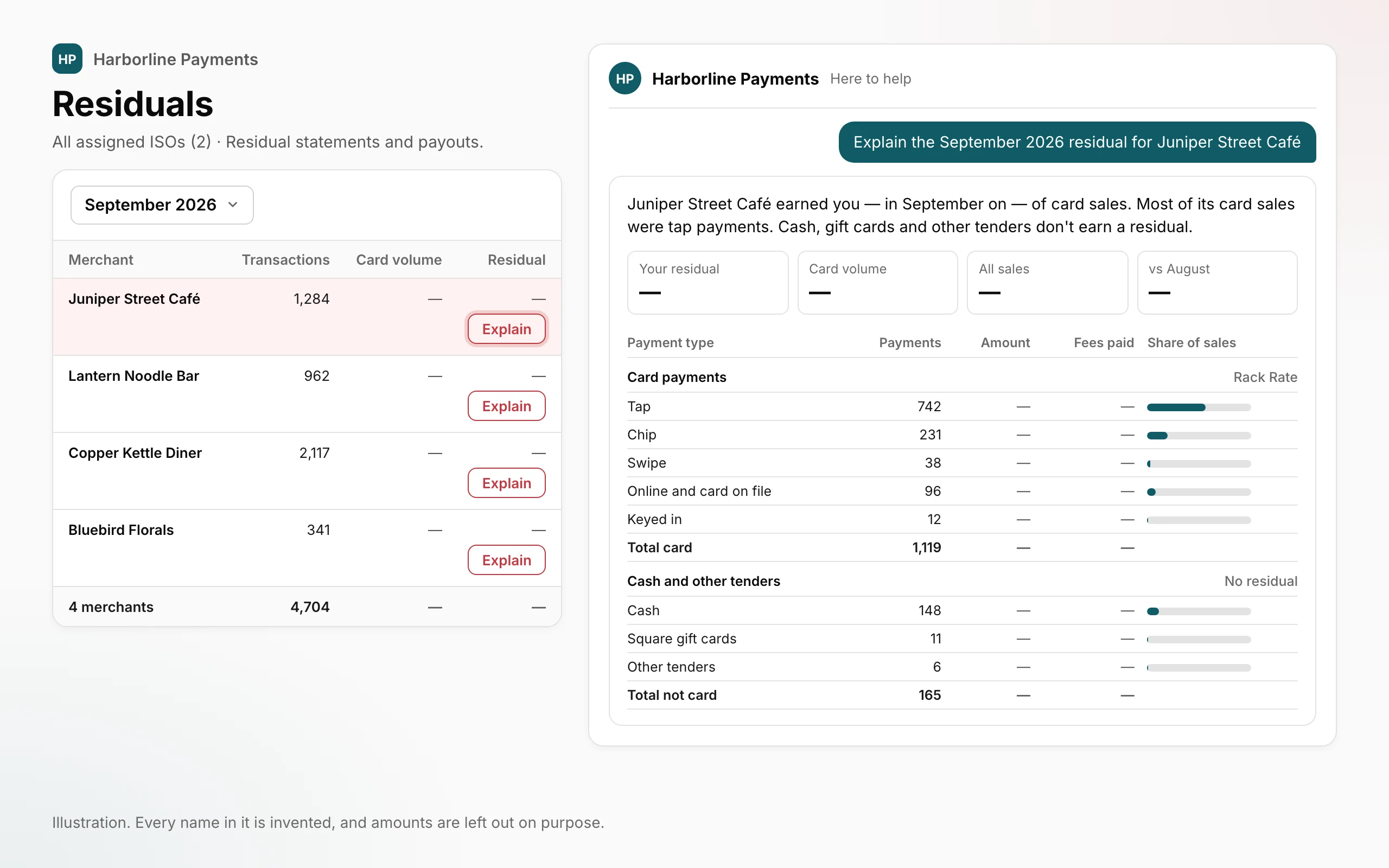
Choose Explain beside a merchant's residual and the portal AI assistant shows that month as a card: your residual, the card volume, every way the merchant was paid and how your residual adds up from the merchant's fees.
 Open full size
- Explain, right beside the residual. On the Residuals page, choose Explain beside a merchant's residual. On a merchant's page, choose Explain this month on its Residuals card, or Explain on any month that is in Square's report.
- That month, as one card. The portal AI assistant opens on a card for that merchant and month, headed by four tiles: Your residual, Card volume, All sales and the change from the month before.
- Every way the merchant was paid. Card payments are split into Tap, Chip, Swipe, Online and card on file, and Keyed in. Cash, Square gift cards and Other tenders sit apart. Each row shows its payments, the amount, the fees paid and its share of all sales.
- How your residual adds up. The card walks from the Total merchant processing fees, through Card network & other costs and Square's processing revenue, down to your residual.
- Ask in your own words. Type a request such as “Explain Juniper Street Café's September residual” in the assistant, then ask follow-up questions about the card in the same chat.
Where to find itPortal → Residuals, or the Residuals card on a merchant's page, for members allowed to see merchant revenue and residuals. Nothing to switch on.
What this does not do yet
- Explain appears only for members allowed to see merchant revenue and residuals. Anyone else can ask an organization-wide admin in their organization about access.
- You can explain only the merchants in your own scope, and only a month that is in Square's report. For any other month, the card says the merchant isn't in that month's report.
- A typed request needs the word residual and the name of a merchant in your scope. Otherwise the assistant answers in general terms instead of showing a card.
- If OrderOut hasn't collected a month's payments yet, the card says so and shows no payment rows. Some earlier months show card payments as one row, without the split.
- Cash, Square gift cards and other tenders earn no residual. They are on the card so you can see the merchant's whole month.
- Your residual is Square's figure from its report. The card network & other costs and Square's processing revenue are OrderOut's calculation, not figures Square gives us.
- The card's figures come from Square's report and the payments OrderOut collects from Square, never from the AI model. Follow-up answers come from the assistant. If a figure looks wrong, email reseller@orderout.co.
Open Residuals Read how to explain a residual
All releases·All help guides·reseller@orderout.co
New to OrderOut? Request access — or read what the reseller program involves.