
Connect your AI assistant to the reseller portal
You can now connect your own AI app, such as ChatGPT or Claude, to the OrderOut Reseller portal and ask it about your merchant applications, onboarding links and team. It reads only what you can see in the portal, and it cannot change anything.
 Open full size
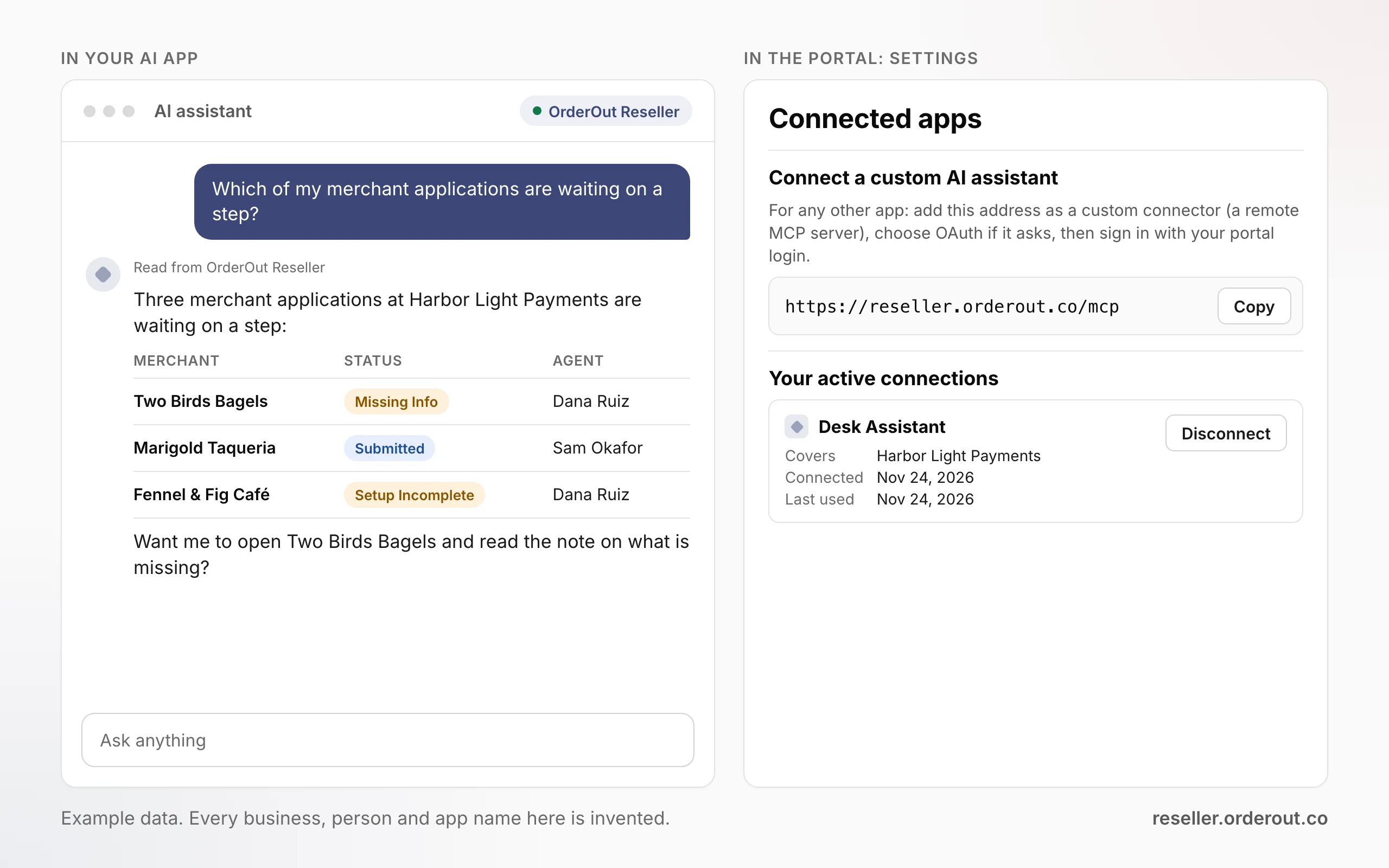
- One address, added as a custom connector. In your AI app, add https://reseller.orderout.co/mcp as a custom connector, sign in with your portal login and click Allow. The help page has the steps for Claude, ChatGPT, Grok, Claude Code, OpenAI Codex, Cursor, VS Code with GitHub Copilot, Gemini CLI and Windsurf.
- Set up for me. In the portal, open Settings, then Connected apps, and pick your app under Set up for me. Copy setup prompt copies a prompt written for your login. For a chat app, first press the button that opens its connector settings, then paste the prompt into a chat: it walks you through the steps and checks the connection.
- What your assistant can read. Your assistant can read your organizations' merchant applications and their status, including the owner's contact details, the notes shared with you, and your onboarding links, ISO groups and agents. An organization-wide admin's assistant also reads the agreements and the agent requests waiting on them.
- Residuals, if you can see them. If you can see residuals in the portal, it can also read each merchant's monthly residual and a monthly summary of its Square payments: totals by payment type, never single payments.
- One connection for every organization. One connection covers every reseller organization your login belongs to. Organizations you join later are included, and any you leave drop off.
- See and disconnect your apps. Your active connections lists each app you connected, what it covers and when it was last used, with Disconnect. A disconnected app stops working on its next request. An organization-wide admin also sees everyone's connections in the organization and can remove the organization from a teammate's connection, which keeps the teammate's other organizations connected.
Where to find itPortal → your account menu → Settings → Connected apps, or Connected apps in the same menu, for every member in any role. The Connect your AI to OrderOut button on the portal's AI Assistant page opens the same place. The list of everyone's connections is for organization-wide admins only. The steps for each app are on the help page Connect an AI assistant to the OrderOut Reseller portal.
What this does not do yet
- It cannot change anything: it only reads. It never edits a merchant, a link, a team member or a setting.
- It sees only the organizations, ISO groups and agents you can see in the portal. It cannot see bank account numbers or tax details, agents' or applicants' contact details, or revenue unless you can see residuals in the portal.
- Your AI app must let you add a custom connector (a remote MCP server) that signs in with OAuth. On a company plan of ChatGPT, Claude, Grok or Windsurf, an admin decides which connectors members can add.
- Your login needs a confirmed email and an active reseller organization. A login with no organization sees no address in Connected apps, only a line asking it to email reseller@orderout.co.
- The address works only inside an AI app. Opened in a web browser, it brings you to the help page instead.
- Your AI app writes the answers from what it reads. Check a figure in the portal before you act on it.
Read how to connect your AI app Open Connected apps in the portal
New to OrderOut? Request access — or read what the reseller program involves.