
See why your volume differs in the OrderOut Reseller Portal
The OrderOut Reseller Portal answers for the merchants in your scope.
Steps
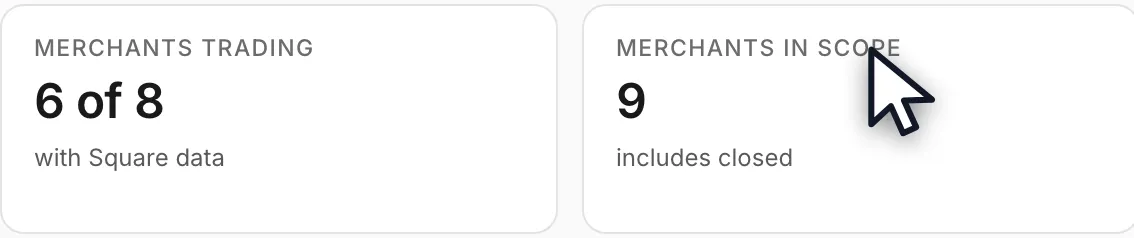
- Open the Dashboard and read Merchants in scope. That count is the boundary — every figure below it answers for those merchants and for no others.Open full size ↗
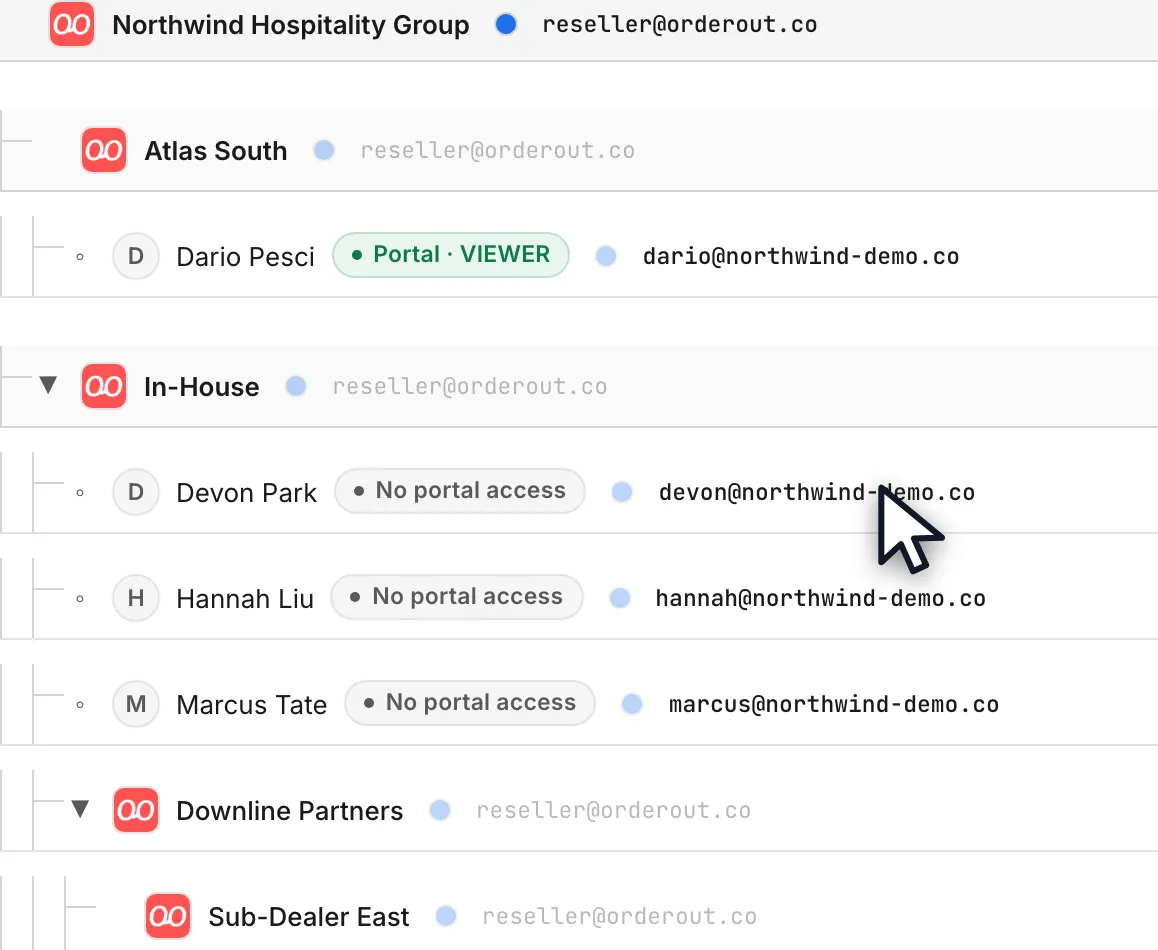
- Open ISO groups & Agents to see the shape your scope sits in: the organization at the top, ISOs under it, sub-ISOs under those, and agents under an ISO. You see your own level and everything below it, never above it.Open full size ↗
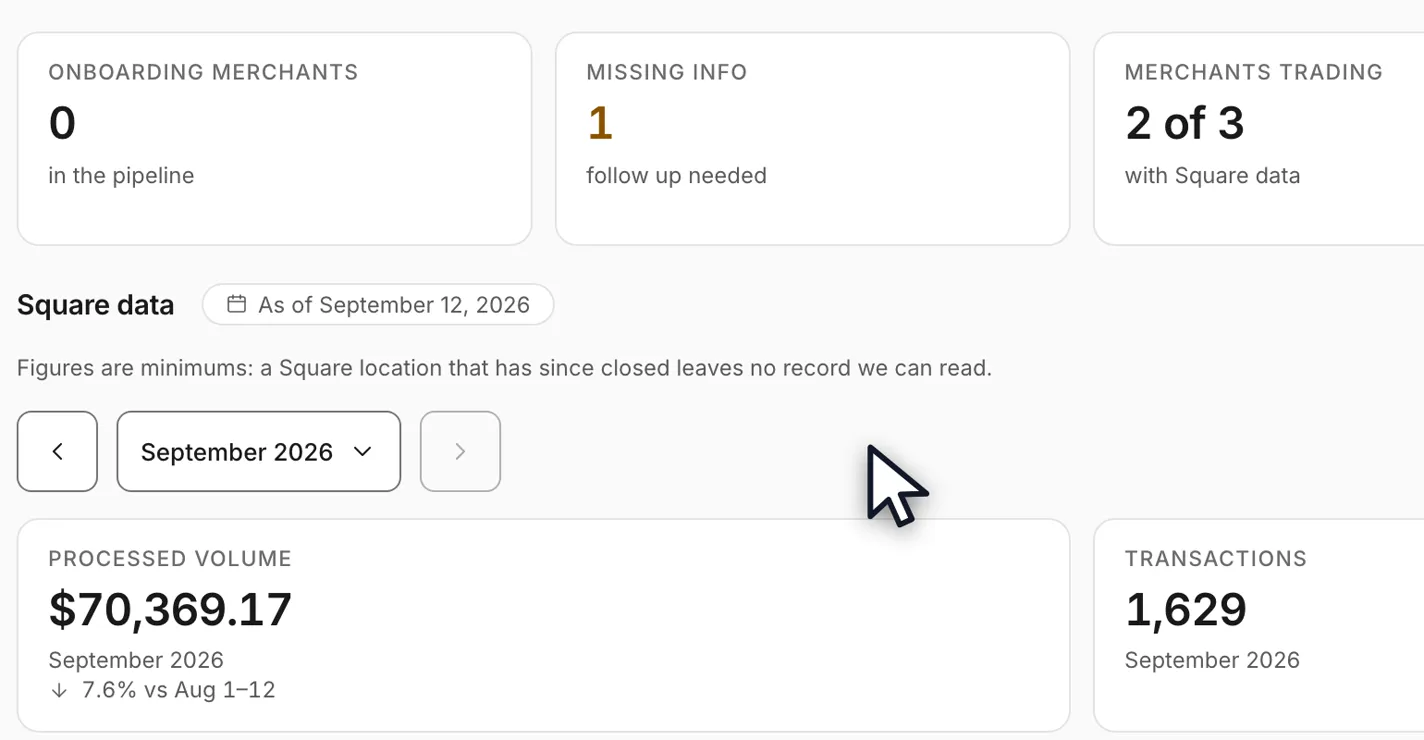
- An agent signed in to the same organization, on the same day and the same month, sees a smaller book and a smaller figure — and the change underneath can point the opposite way, because the two figures are not measuring the same merchants.Open full size ↗
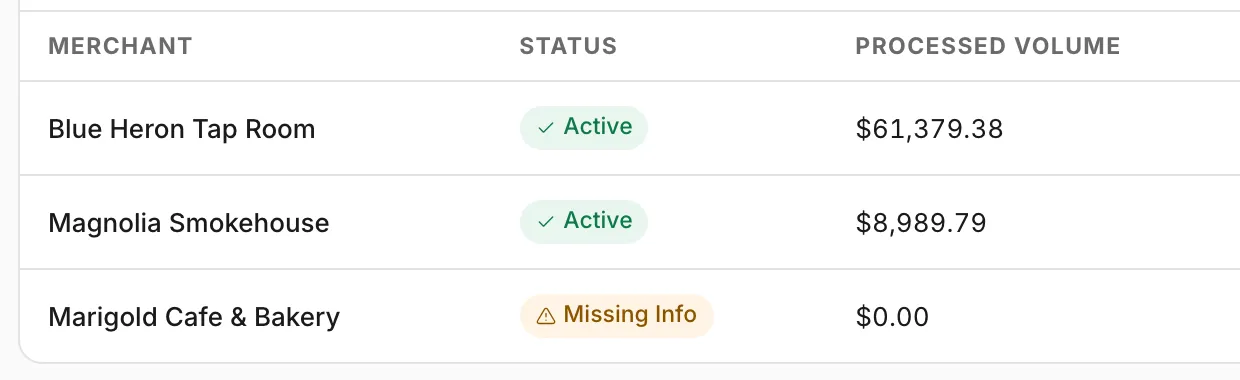
- The portal states the restriction on the page rather than leaving it to be inferred: the figures count only that agent's applications, not another agent's, and not applications with no agent at all — house accounts and team referral links.Open full size ↗
- If a figure still looks wrong for your level, check the scope before you report a bug: the organization and ISO you are viewing are both shown in the switcher at the top of the page, and an agent restriction can only be changed by an organization admin or by OrderOut.
Worth knowing
- Same portal, same day, different numbers is the expected outcome of two different scopes — not a sign that one of them is stale.
- An agent restriction is set per person, and is separate from their role. A restricted ADMIN still sees only their own agent's merchants.
In the video
Full transcript1:19
0:00Your scope is the boundary
The OrderOut Reseller Portal answers for the merchants in your scope.
You'll need a portal login, and we're starting on your own Dashboard.
An organization sees its whole organization. An ISO sees everything under it. A sub-ISO sees its own. An agent sees their own merchants.
Merchants in scope names that boundary, and every figure underneath obeys the same one.
0:31The same day, two levels
This is the organization's Dashboard for the month — the whole book, and a volume figure that counts all of it.
Now the same portal, the same day and the same month, signed in as one agent inside that organization.
Fewer merchants, and a smaller figure. The change underneath can even point the other way, because this is a different book, not a different product.
0:57Why the numbers differ
The portal says so on the page. These figures count only that agent's applications — not another agent's, and not the house accounts that carry no agent at all.
So two people in one organization can read the same screen on the same day and see different numbers. Nothing is broken. The scope is different.
Still stuck? Email reseller@orderout.co.All guides